Here’s a quick way to supercharge your AL code for performance…
Just wrapped up a major optimization in a journal creation procedure that was crawling through thousands of records. After refactoring with smarter data structures, we slashed processing time by over 80%.
The Problem
10,000+ records.
Repeated DB hits for journal creation and amount calculations.
Nested loops causing timeouts and frustration.
The Fix
✅ Dictionary data type for Caching
Pre-load invoice amounts once no more 10,000 DB calls
✅ List data type for Unique Collections
Efficiently track unique invoice numbers without duplicate
✅ Bulk Operations with Progress Indicators
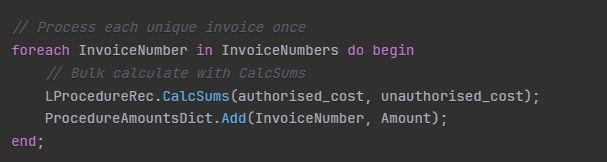
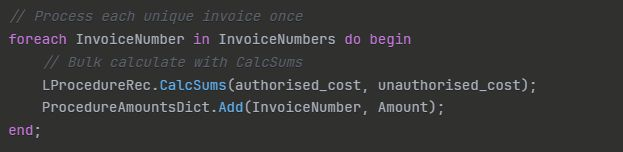
Process each invoice once, aggregate the lines with CalcSums
✅ Avoid UI updates by only updating after batch of 500 records has been processed.
Key Performance Tips
* Cache frequently accessed data with Dictionary
* Eliminate duplicate logic using List
* Use CalcSums for aggregation instead of loops
* Minimize Validate() calls in bulk operations
* Show progress dialogs for long-running tasks
#TipsAndTricksThursday#BusinessCentral#ALDevelopment#PerformanceMatters#MicrosoftDynamics#ERP#CodeOptimization#DevTips#BusinessCentral#MSDyn365BC#Microsoft