Page Extension Lag: Moving expensive display calculation off the main UI thread.
Consider a custom page extension on the customer card or sales order list that displays a real time calculated metric such as credit risk score or external partner balance.
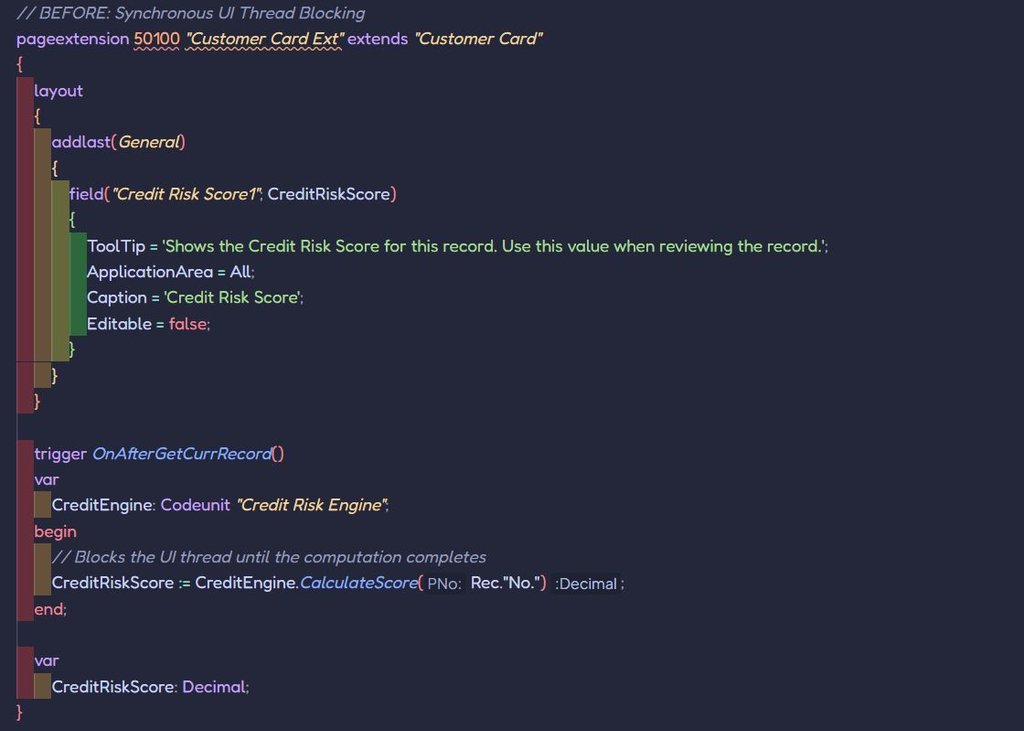
A common pattern is to write the calculation logic inside the OnAfterGetRecord or OnAfterGetCurrRecord page trigger. While functional, executing heavy calculation inside async page triggers blocks the UI thread. Every time a user opens or scrolls a list, the client freezes until the database query or external API call finishes.
⚠️ The Problem: UI Thread blocking on page render.
When a page renders, Business Central processes OnAfterGetRecord sequentially for the current record before rendering UI controls to the user. If your extension executes complex FlowField summaries, multi-table loops, or external HTTP calls inside this trigger, you add direct latency to the UI execution pipeline. The user experiences a lagging, unresponsive client while the Business Central Server (NST) waits for the calculation to return.
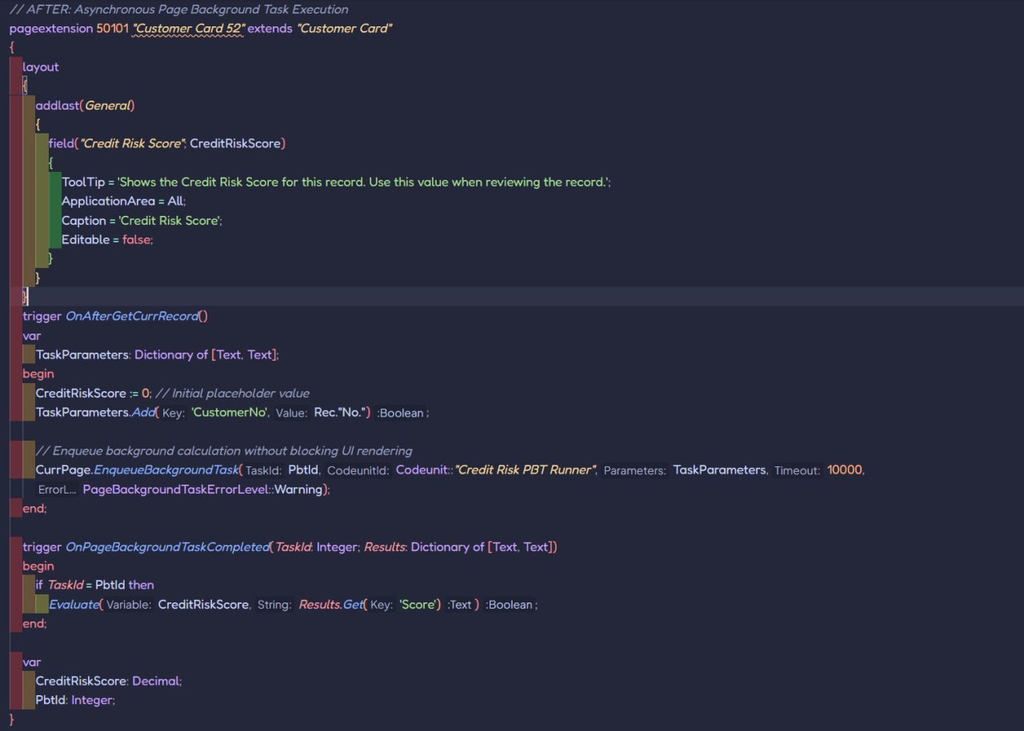
🛠️ The Fix: Asynchronous calculation via page background task (PBT)
Shift heavy, non-critical display calculations to a page background task using Page.EnqueueBackgroundTask. The platform immediately renders the page controls with a light or cached state, while a separate background session computes the results asynchronously. When finished, the OnPageBackgroundTaskCompleted trigger updates the UI field without blocking user interaction.
Why It Matters
➡️ Instant UI Responsiveness: Pages open immediately without waiting for background calculation pipeline to complete.
➡️ Isolated Failure Domains: Errors in background calculation tasks do not prevent the mail page from rendering or functioning.
➡️ Optimized Session Usage: Background tasks executes in read only operational contexts, preventing UI threat lock contention.
The Trap: Read only context
Page Background Task run strictly in a read only transaction mode. They cannot modify database records or execute Commit() calls. Use PBT solely for calculating display values, status indicators or fetching external data.
💡 The Bottom Line
Never hold the UI thread hostage for not critical display data. Render the page first, compute heavy values in the background.