The “Silent Telemetry Blind Spot”: Why Your AL Code Is Flying Blind in Production.
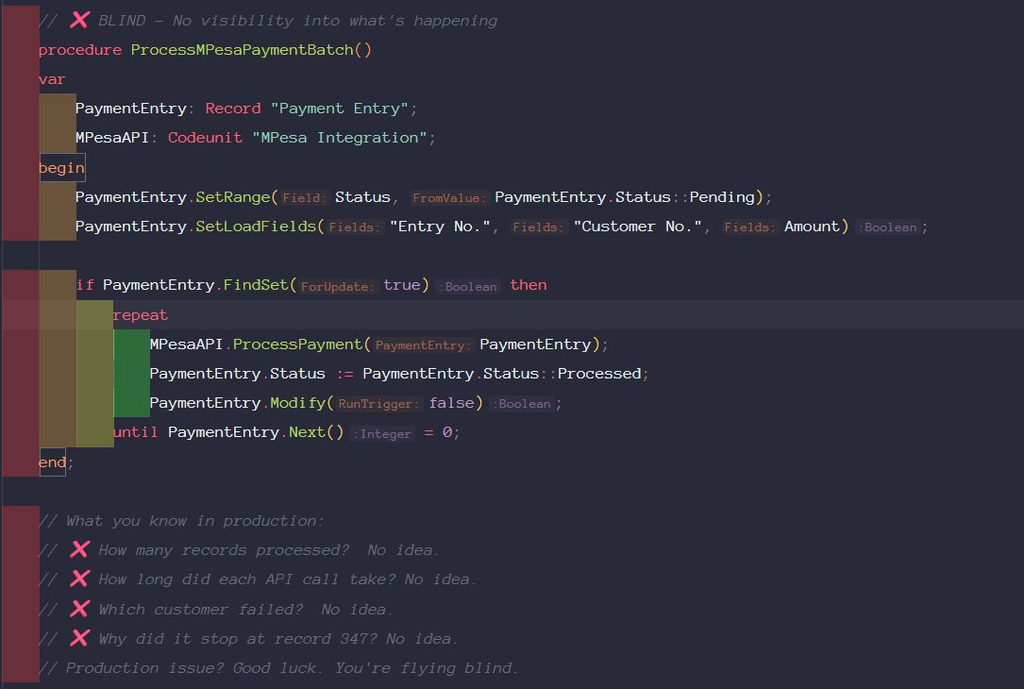
Batch job failing intermittently in production. Zero errors in the event log. Zero traces in the support inbox. Zero clues.
We had logs. We had monitors. We had dashboards.
What we didn’t have was custom telemetry inside the AL code itself.
Four hours later, we added three Session.LogMessage() calls. Root cause found in 20 minutes.
Flying blind in production is a choice. Stop making it.
⚠️ The Problem: AL Code Is a Black Box Without Telemetry
Most developers rely on:
User complaints (“it’s slow”)
Event log errors (only catches crashes)
Support tickets (too late)
Debugger (can’t attach to production SaaS)
🛠️ The Fix: Session.LogMessage() – Your Production Debugger
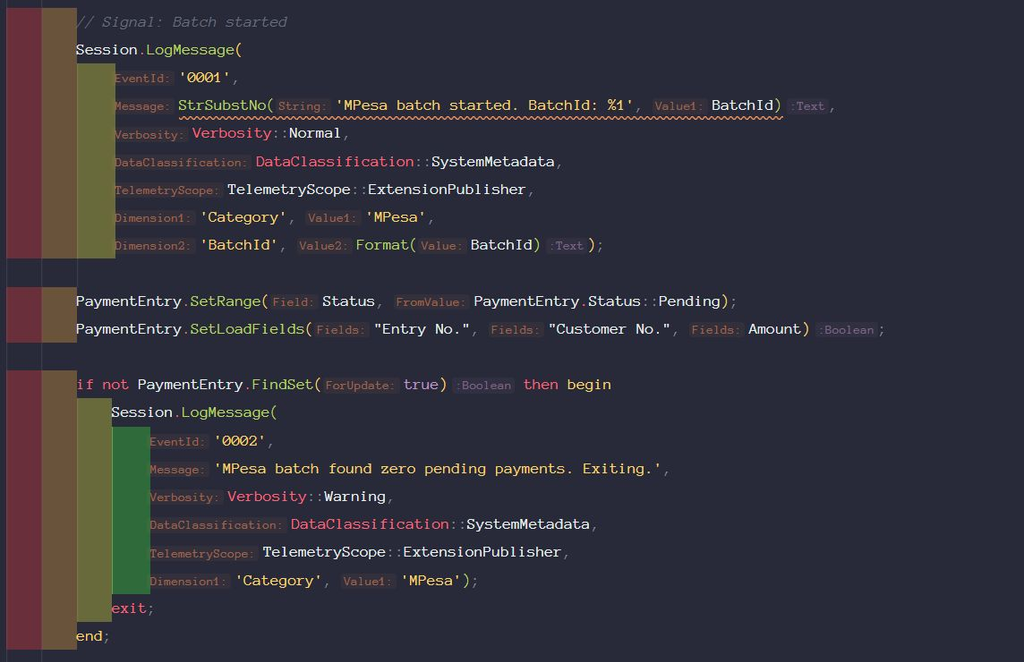
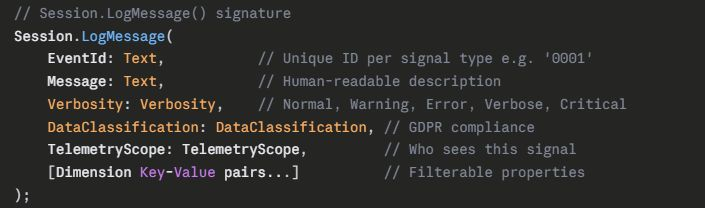
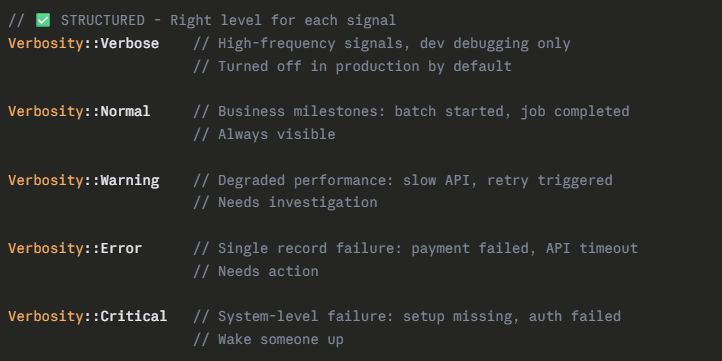
AL has a built-in telemetry pipeline that pushes structured signals directly into Azure Application Insights.
No third-party tools. No middleware. Built into the platform.
Why It Matters:
✅ Production debugging without a debugger – SaaS blocks direct debugging. Telemetry IS your debugger. Every Session.LogMessage() is a breadcrumb you can follow at 2 AM without a VPN.
✅ Proactive alerting – Azure App Insights lets you set alerts on your custom signals. When FailedCount > 10 in a batch, get an email before the finance team does.
✅ Performance baselines – Logging DurationMs over time reveals gradual degradation before users notice. O(n) creep is invisible without metrics.
☣️ The Trap:
Telemetry requires an Azure Application Insights connection string configured in BC Admin Center for SaaS, or in app.json for per-extension routing.
Without that configuration, Session.LogMessage() compiles and runs silently – no error, no signal, no trace. You’ll think you’re instrumented when you’re not.
Verify your App Insights resource is connected before going live.
💡The Bottom Line:
Errors you can see are problems. Errors you can’t see are disasters.
Session.LogMessage() costs you 10 minutes to add.
Missing telemetry cost us 4 hours on that P1 incident.
Instrument your code like production will fail. Because it will.
Every batch job. Every API call. Every critical path. Log it.