Record.IsEmpty() vs Count(): The performance trap you’re probably falling into.
Do you notice functions taking longer than expected to load or execute?
Performance bottlenecks can stem from many sources, but inefficient record checks are a common culprit. A frequent error is the use of Record.Count() in scenarios where the lighter Record.IsEmpty() would suffice.
👉 By replacing Count() with IsEmpty(), you avoid unnecessary scans, save processing time, and deliver noticeably faster performance.
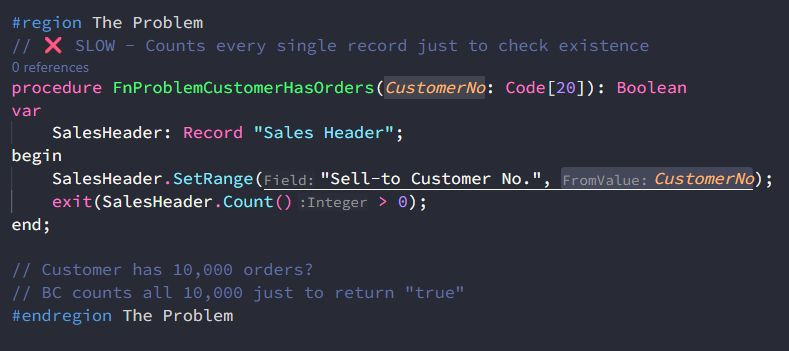
✖️ The problem
You asked: “Any orders?” –> Count()
Business Central replied: “Let me count all 10,000… yes, there are 10,000.”
What you needed: Just a simple Yes or No.
What you got: A full headcount of every single record.
🛠️ The Fix
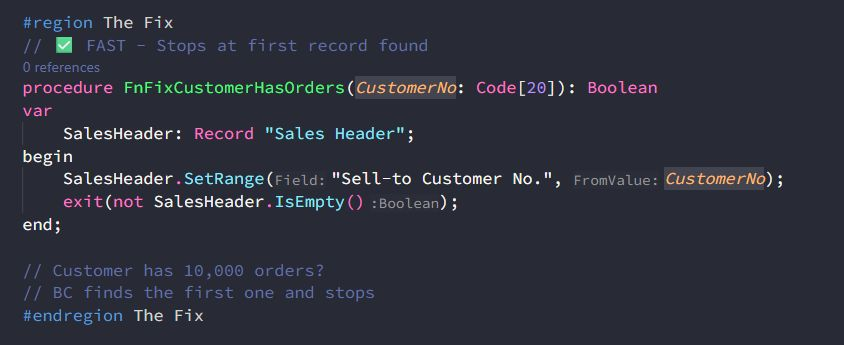
IsEmpty() is optimized. Instead of counting every single record, let Business Central stop at the first one it finds –> The “First Record” Approach.
If a customer has 10,000 orders, BC doesn’t enumerate them all, it finds the first match and exits. Fast, efficient, and exactly what you need.
IsEmpty() is constant time. Doesn’t matter if there are 10 or 100,000 records.
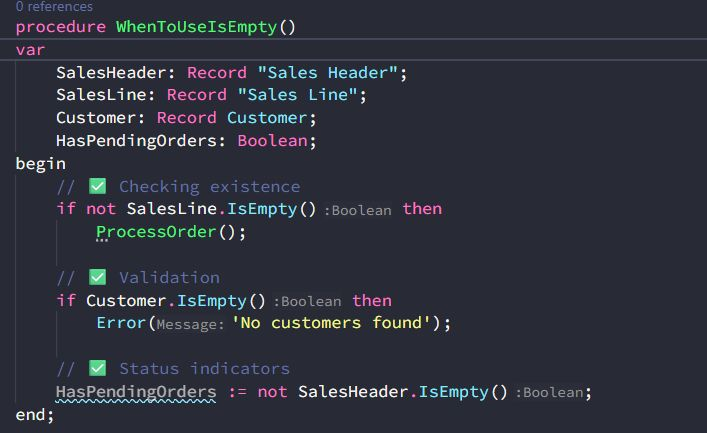
When to use each:
➡️ Use IsEmpty() when you need a Yes/No answer (Existence checks, Validations, UI indicators).
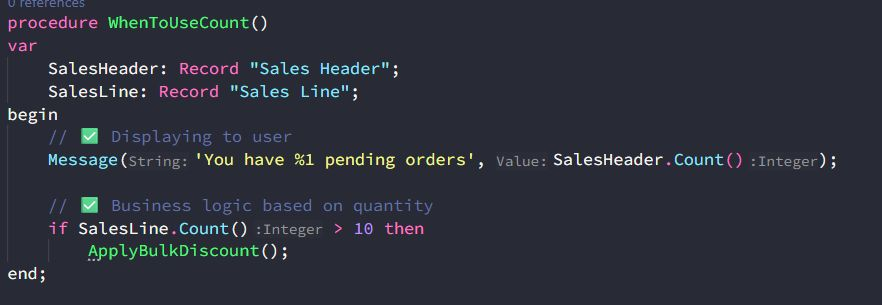
➡️ Use Count() ONLY when you actually need to display or use the specific number.
Quick Audit Checklist
Search your workspace for these performance killers:
Count() > 0 ➡️ not IsEmpty()
Count() = 0 ➡️ IsEmpty()
FindFirst() (just to check existence) ➡️ not IsEmpty()
💡 The Bottom Line:
Count() answers: “How many?”
IsEmpty() answers: “Any at all?”
If you don’t need the number, don’t count.