Read Isolation: Avoid getting stuck on locked records
Ever had a report, dashboard or any other analytics freeze because someone else was posting a record? That’s locking contention. By default, AL plays it safe, it waits for other transactions to finish before reading. But here’s the thing, you don’t always have to wait.
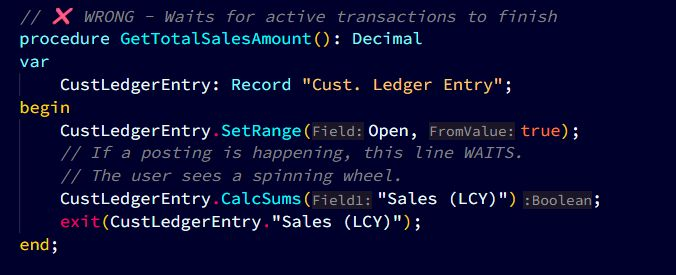
✖️ The Problem: Default Locking Blocks Your Reads.
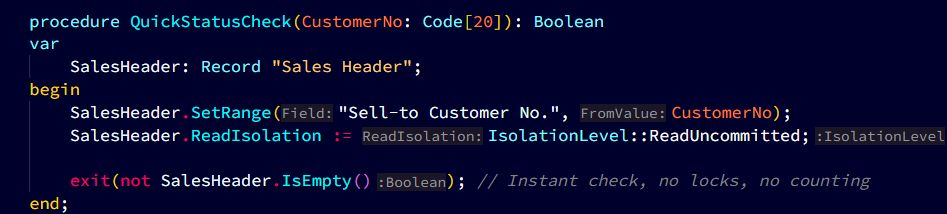
By default, Business Central uses ReadCommitted. If a user is modifying a record, your FindSet or IsEmpty will wait for them to finish. Great for data integrity, terrible for dashboard performance. Safe? Yes. Fast? No.
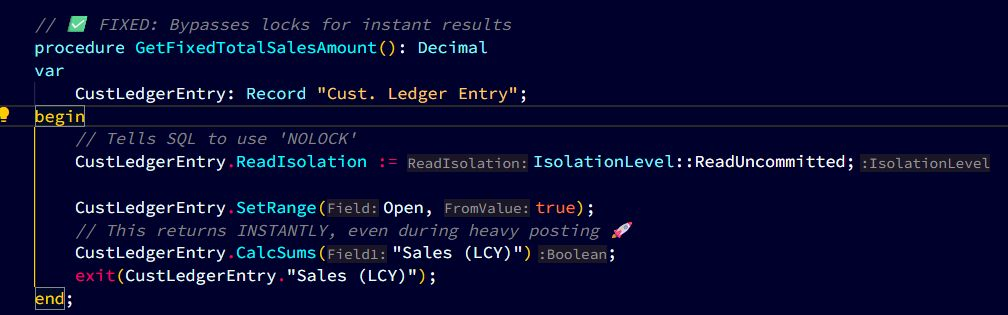
🛠️ The Fix: ReadUncommitted for Non-Critical Reads.
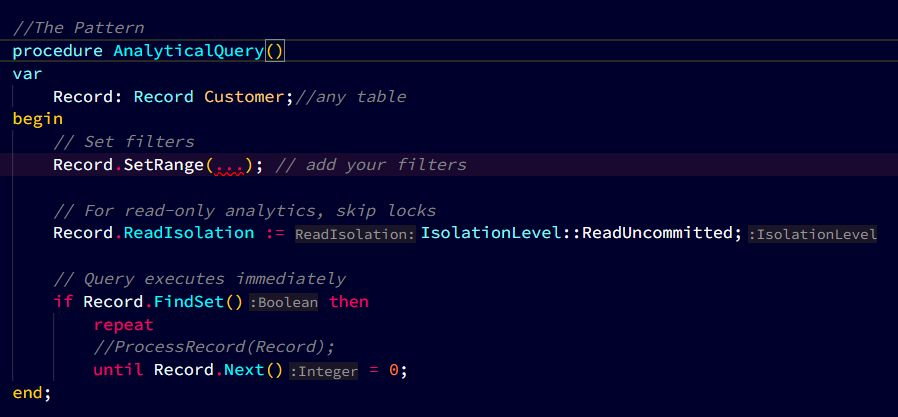
If you are building a dashboard, a list, or an analytical report, you can use Read Isolation. Setting your record to ReadUncommitted (Dirty Read) allows you to read data around locks.
Where to use the two isolation levels
Use Read Committed for:
✅ Posting routines
✅ Financial calculations
✅ Data modifications
✅ Anything where accuracy is critical
Use ReadUncommitted for:
✅ Dashboards
✅ Analytics/reports
✅ Search/lookup dialogs
✅ Status indicators
✅ Anything read-only where approximate data is fine
⚡ The Bottom Line
Choose accuracy for transactions, speed for insights..
ReadCommitted — Reliable, but you’ll sit waiting on locks.
ReadUncommitted — Lightning‑fast, but you might catch data mid‑update.
For dashboards & analytics, speed beats perfection — the numbers shift every second anyway.
One line of code = no lock waits, smoother UX, happier users.
Default to ReadCommitted for safety. Flip to ReadUncommitted when “fast enough” is better than “perfect.”