SecretText: Stop Storing Passwords in Plain Text.
When “Text” becomes a ticking time bomb…An audit uncovers passwords sitting in plain sight in your database, API keys exposed in the debugger, Credentials leaking through telemetry logs. The verdict? Critical security vulnerability.
As developers, we often juggle sensitive keys, but relying on the standard Text data type is like leaving your house keys dangling in the lock.
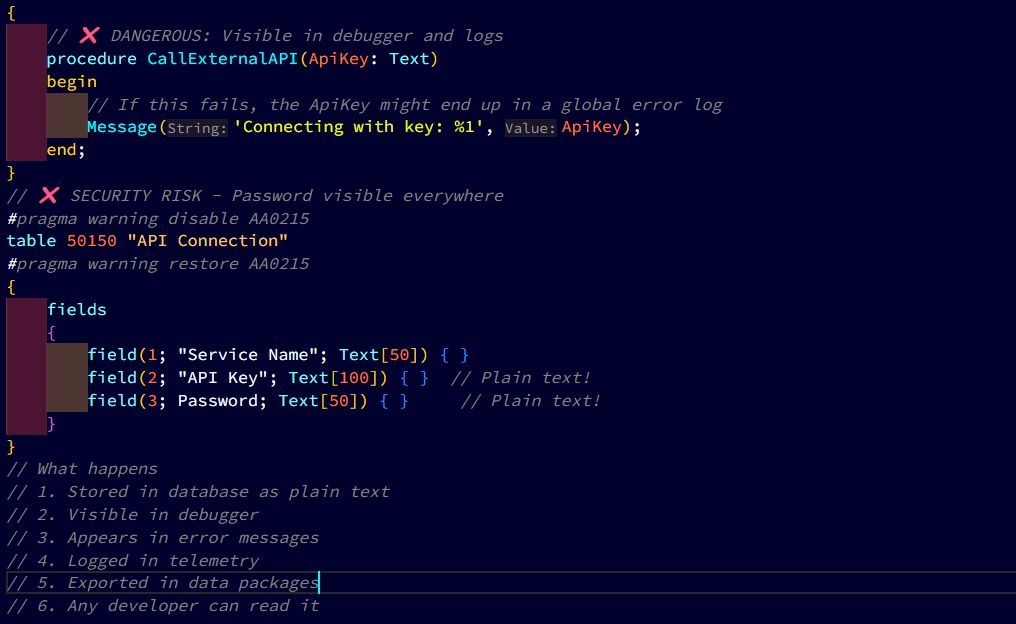
✖️ The Problem: Text Fields Expose Secrets
When you use a standard Text variable, the value is “naked.” It’s visible in the Debugger, it can be accidentally logged to Telemetry, and it’s easily exposed in the UI.
🛠️ The Fix: SecretText Data Type
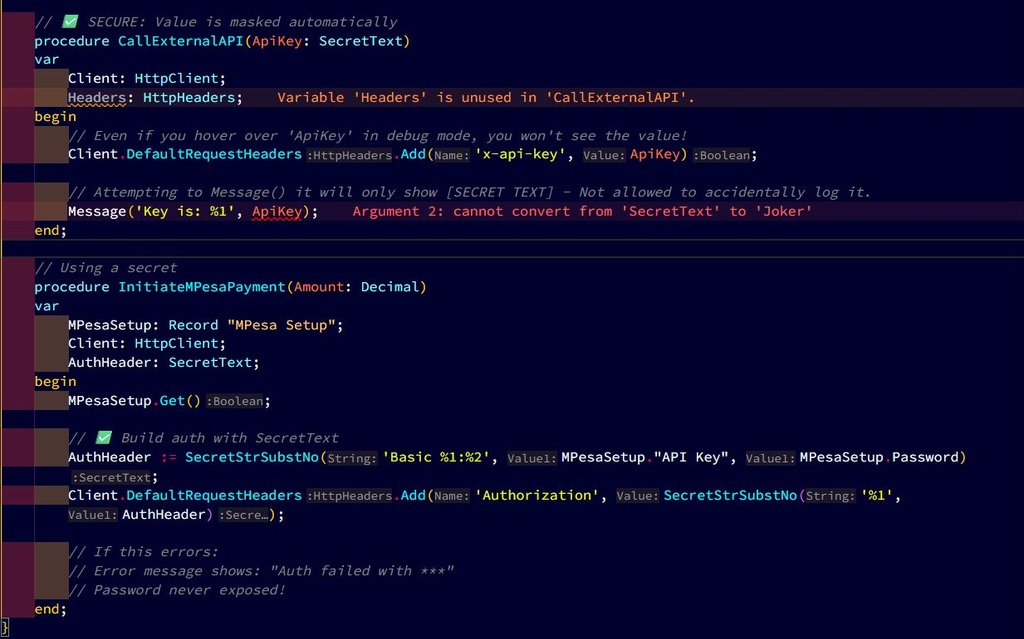
SecretText is a wrapper. It prevents the value from being inspected in the debugger or printed to the screen accidentally. It only reveals its content when explicitly passed to an authorized function (like an HTTP header).
Why This Matters for System developers:
✅ Debugger Protection: Junior developers or consultants cannot “inspect” production keys while debugging a session.
✅ Telemetry Safety: BC automatically masks SecretText when passed into common platform methods, preventing accidental leaks to Azure Application Insights.
✅ Easy Refactoring: You can convert most Text parameters to SecretText without breaking logic, as they are largely compatible in assignments.
When to Use SecretText:
➡️ API keys and tokens
➡️ Passwords and PINs
➡️ OAuth client secrets
➡️ Encryption keys
➡️ Database connection strings
➡️ Private certificates
➡️ Any credential that grants access
💡The Bottom Line:
Text fields = passwords visible to anyone who looks
SecretText = passwords encrypted, hidden even from developers
One data type change = compliance pass ✅ + secure credentials 🔐
Storing passwords in Text fields isn’t just sloppy, it’s a security vulnerability.
👉 Use SecretText. Protect your users. Pass audits. Sleep better.
Challenge for you:
Find one Text field holding a password or API key.
Change it to SecretText.
Update the code.
Watch it vanish from the debugger.
That’s how you turn an audit nightmare into a security win.