Try functions in AL
Let’s talk about error handling. Specifically, why your code shouldn’t blow up when something goes wrong.
In Business Central development, a runtime error doesn’t just stop your code it rolls back the entire transaction. TryFunctions allow you to “try” a risky operation and catch the error before it crashes the user’s session.
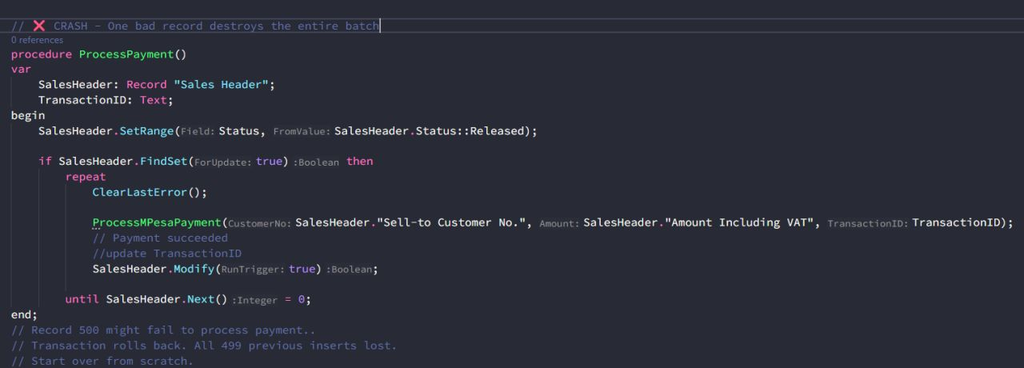
✖️ The Problem
Errors that kills everything.
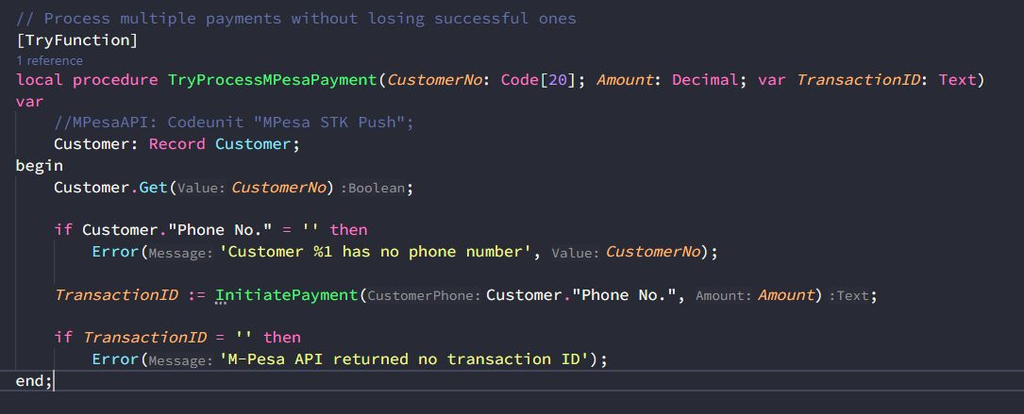
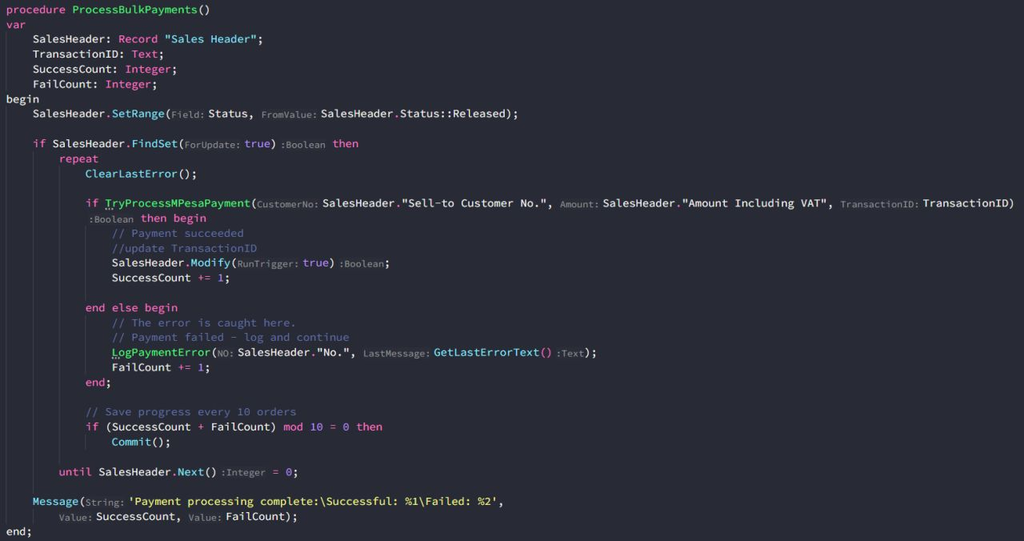
🛠️ The Fix
TryFunction safety net.
Why Use Them?
✅ Graceful Failures: Catch errors (like “Divide by Zero” or “Record Already Exists”) without a generic system crash.
✅ Transaction Control: Database changes made inside the TryFunction are rolled back if it fails, while your main process continues.
✅ Integration Ready: Perfect for parsing JSON or calling external APIs where responses are unpredictable.
Common Use Cases:
✅ Batch imports (customers, items, transactions)
✅ External API integrations (M-Pesa, PayPal, shipping)
✅ Record insertions with potential duplicates
✅ File operations that might fail
✅ Complex validations that could error
Key points to keep in mind.
➡️ On Error — Returns False; code keeps running.
➡️ DB Changes — Only changes inside the function roll back.
➡️ Use ClearLastError() Before Each Try
The Bottom Line
Errors happen. Your code should handle them gracefully, not crash dramatically.
TryFunctions = resilience. They keep your transactions safe, your users happy, and your processes running.
If it can fail, wrap it in a TryFunction.