The Commit() Trap.
Let’s discuss how using Commit() incorrectly can silently destroy your data.
What does Commit() really do?
Commit() ends the current transaction and initiates a new one by forcing BC to save all pending database changes right away.
Sounds useful. It is risky if you do not comprehend the implications.
The Problem
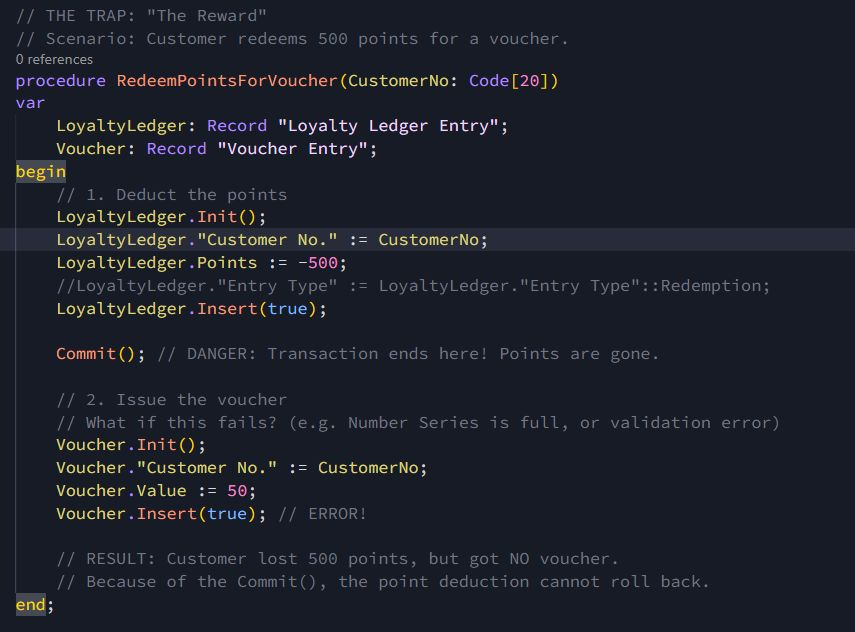
A commit in the middle of related operations i.e. one that has headers and line entries. If the Commit() is called right after inserting the header, that record is permanently written to the database. If the subsequent line creation fails, for example, the item doesn’t exist, a validation throws an error, or the insert is blocked the process stops, but the header remains.
👉 The result: you end up with a header that has no lines. In other words, an orphaned header that clutters your system, breaks atomicity, and can cause downstream issues in reporting, posting, or integrations.
When must you use commits?
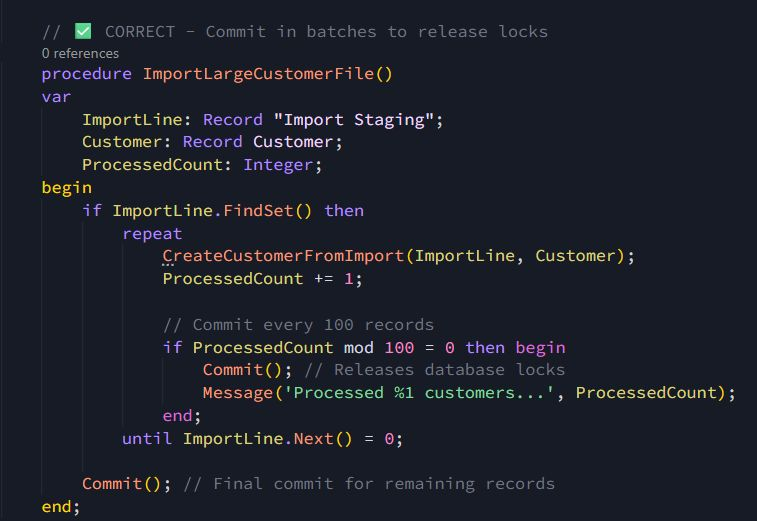
💡 Long-Running Batch Jobs
Atomic batches –> Each group of 100 records is committed as its own transaction.
Partial progress is safe –> If record 350 fails, the first 300 are already securely saved.
Reduced locking –> By committing in chunks, you avoid holding locks for hours, keeping the system responsive for other users.
Scalability boost –> This pattern makes long-running imports or integrations more reliable and less disruptive.
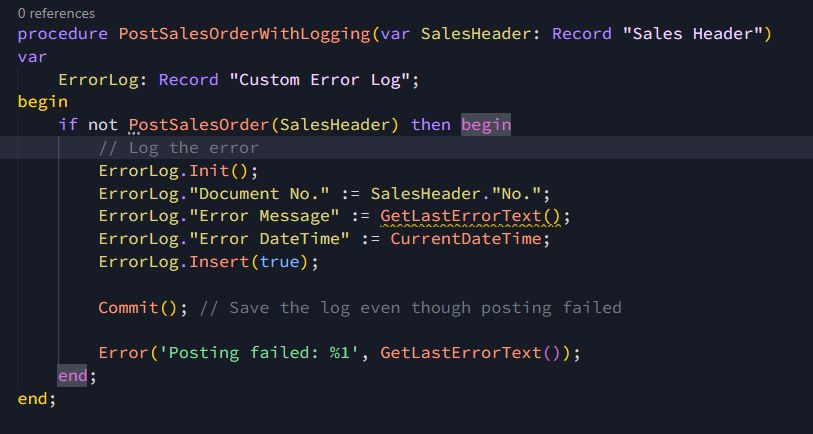
💡 Error Logging (Must Persist Even on Failure)
Sometimes you actually want to break atomicity specifically when logging errors. If a posting routine fails, the error details must be saved so you can troubleshoot later.
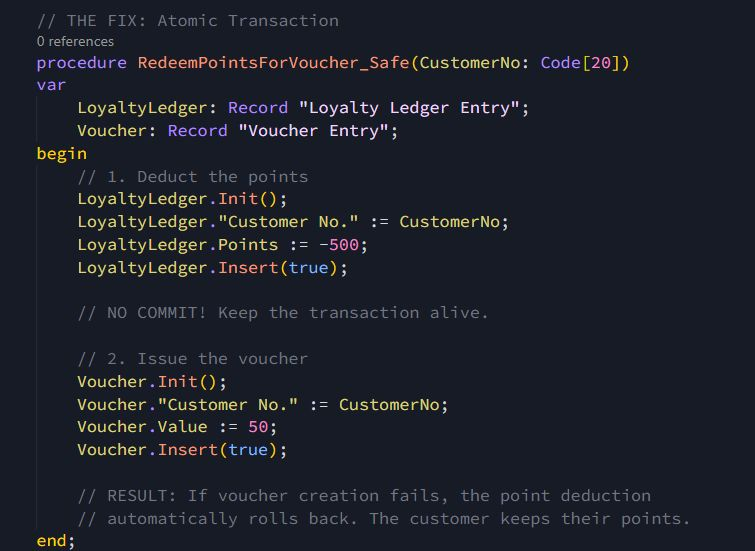
There are also places where using commit is a serious mistake.
👉 Inside table triggers: Triggers are part of the same transaction. Forcing a commit here breaks rollback safety and can leave your data inconsistent.
👉 In validation functions: Validations should be atomic. If one fails, the whole transaction should roll back. A commit in the middle prevents that.
You found a Commit() — Great! Now ask yourself the following:
Is it inside a table trigger? –>❌ Remove it
Is it between related inserts? –> ❌ Remove it
Is it in a validation function? –> ⚠️ Likely remove it
Is it in a batch job (100+ records)? –> ✅ Keep it
Is it for error logging? –> ✅ Keep it, but document the reason
Is it for UI updates? –> ✅ Keep it, but explore safer alternatives
The Bottom Line
Commit() doesn’t mean “save my work.”
It means “I accept breaking atomicity here.”
Most of the time, you don’t want that. Business Central already manages transactions for you, trust it. Only use Commit() when you have a clear, technical justification.
Developer Challenge
Audit your codebase for Commit(). For each one, write down why it exists. If you can’t explain it, it probably shouldn’t be there.